Minerva: The Coordinator Pattern Done Right
Minerva: The Coordinator Pattern Done Right
The iOS community has been talking about "coordinators" since Soroush Khanlou's 2015 blog post popularized the term. Paul Hudson just published a coordinator tutorial for Hacking with Swift in March, and the Swift by Sundell podcast devoted an episode to architecture with Chris Eidhof and Matt Gallagher last month. Clearly the pattern has legs. But I was using this pattern at Google before it had a name, extracting navigation logic from view controllers into dedicated objects that managed the flow between screens. What I've learned since then is that the coordinator concept is only half the solution. The other half is separating the act of navigation from the mechanics of presentation.
In Minerva, that separation is encoded in two protocols: Coordinator decides what to present. Navigator decides how to present it. This post covers why that distinction matters, how the protocols work together, and why deep linking falls out naturally when you get the architecture right.
This is Part 3 of the Minerva Deep Dive series. Part 1 covered the Coordinator protocol and lifecycle management. Part 2 covered CellModels and declarative list management.
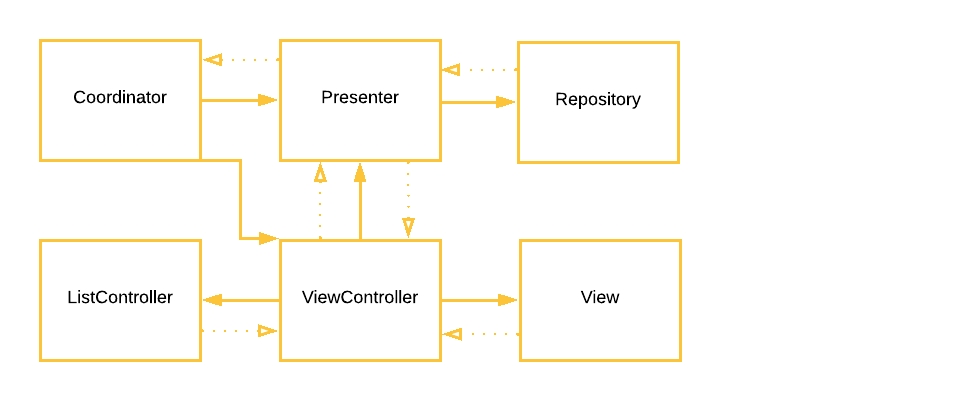
The Problem with Most Coordinator Implementations
The typical coordinator pattern you see in blog posts looks like this:
// The common approach: coordinator knows about UINavigationController
class ProfileCoordinator {
    let navigationController: UINavigationController

    func showSettings() {
        let vc = SettingsViewController()
        navigationController.pushViewController(vc, animated: true)
    }

    func showPhotoViewer() {
        let vc = PhotoViewerViewController()
        vc.modalPresentationStyle = .fullScreen
        navigationController.present(vc, animated: true)
    }
}
This "works" but it has a critical flaw: the coordinator is coupled to the presentation mechanism. It knows it's inside a UINavigationController. It knows that settings should be pushed and photos should be presented modally.
Why is this bad?
- Reuse is impossible. If you want
ProfileCoordinatorto work inside aUISplitViewControlleron iPad where "push" should actually replace the detail pane, you need a different coordinator. - Testing is expensive. To test that
showSettings()presents the right screen, you need to instantiate a realUINavigationControllerand check its view controller stack. - Deep linking is hard. To deep link to a profile's settings, you need to reconstruct the navigation controller, push the profile coordinator's view controller, then push the settings view controller. The coordinator can't help you because it assumes it's already embedded in a navigation stack.
Minerva's Navigator Protocol
The Navigator protocol abstracts the mechanics of presentation:
public protocol Navigator: UIAdaptivePresentationControllerDelegate,
                           UINavigationControllerDelegate {
    typealias RemovalCompletion = (UIViewController) -> Void
    typealias AnimationCompletion = () -> Void

    func present(
        _ viewController: UIViewController,
        animated: Bool,
        removalCompletion: RemovalCompletion?,
        animationCompletion: AnimationCompletion?
    )

    func dismiss(
        _ viewController: UIViewController,
        animated: Bool,
        animationCompletion: AnimationCompletion?
    )

    func push(
        _ viewController: UIViewController,
        animated: Bool,
        completion: RemovalCompletion?
    )

    func setViewControllers(
        _ viewControllers: [UIViewController],
        animated: Bool,
        completion: RemovalCompletion?
    )

    func popToRootViewController(animated: Bool) -> [UIViewController]?
    func popToViewController(_ viewController: UIViewController, animated: Bool) -> [UIViewController]?
    func popViewController(animated: Bool) -> UIViewController?
}
The navigator owns a navigation controller and handles the UIKit-level details of pushing, presenting, and dismissing. Critically, it also manages RemovalCompletion callbacks: the blocks that fire when a view controller leaves the screen, regardless of how it left (back button, swipe gesture, programmatic pop, modal dismissal).
The BasicNavigator class provides the standard implementation:
open class BasicNavigator: NavigatorCommonImpl {
    public let navigationController: UINavigationController

    public init(
        parent: Navigator?,
        navigationController: UINavigationController = UINavigationController()
    ) {
        self.navigationController = navigationController
        super.init(parent: parent, navigationController: navigationController)
    }
}
CoordinatorNavigator: Connecting the Two
The CoordinatorNavigator protocol bridges coordinators and navigators:
public protocol CoordinatorNavigator: Coordinator {
    var navigator: Navigator { get }
    var presentedCoordinator: BaseCoordinatorPresentable? { get set }
}
When a coordinator conforms to CoordinatorNavigator, it gains extension methods that express navigation in terms of other coordinators, not view controllers:
extension CoordinatorNavigator {
    public func push(_ coordinator: BaseCoordinatorPresentable, animated: Bool = true) {
        addChild(coordinator)
        navigator.push(coordinator.baseViewController, animated: animated) {
            [weak self, weak coordinator] _ in
            guard let coordinator = coordinator else { return }
            self?.removeChild(coordinator)
        }
    }

    public func present(
        _ coordinator: BaseCoordinatorPresentable,
        modalPresentationStyle: UIModalPresentationStyle? = nil,
        animated: Bool = true,
        animationCompletion: AnimationCompletion? = nil
    ) {
        addChild(coordinator)
        presentedCoordinator = coordinator
        let viewController = coordinator.baseViewController.navigationController
            ?? coordinator.baseViewController
        if let modalPresentationStyle = modalPresentationStyle {
            viewController.modalPresentationStyle = modalPresentationStyle
        }
        navigator.present(
            viewController,
            animated: animated,
            removalCompletion: { [weak self, weak coordinator] _ in
                guard let coordinator = coordinator else { return }
                self?.removeChild(coordinator)
            },
            animationCompletion: animationCompletion
        )
    }

    public func setRootCoordinator(
        _ coordinator: BaseCoordinatorPresentable,
        animated: Bool = true
    ) {
        addChild(coordinator)
        navigator.setViewControllers([coordinator.baseViewController], animated: animated) {
            [weak self, weak coordinator] _ in
            guard let coordinator = coordinator else { return }
            self?.removeChild(coordinator)
        }
    }
}
Notice the pattern: every navigation operation adds the child coordinator, performs the UIKit-level transition through the navigator, and registers a removal completion that cleans up the child coordinator when the view controller is dismissed. The coordinator tree always mirrors the screen hierarchy.
The Separation in Practice
Here's how a coordinator looks when it uses a navigator:
final class ProfileCoordinator: NSObject, CoordinatorNavigator, CoordinatorPresentable {
    let navigator: Navigator
    var presentedCoordinator: BaseCoordinatorPresentable?
    var parent: Coordinator?
    var childCoordinators: [Coordinator] = []
    let viewController: ProfileViewController

    init(userId: String, navigator: Navigator) {
        self.navigator = navigator
        self.viewController = ProfileViewController(userId: userId)
        super.init()
        viewController.delegate = self
    }
}

extension ProfileCoordinator: ProfileViewControllerDelegate {
    func didTapSettings() {
        let coordinator = SettingsCoordinator(navigator: navigator)
        push(coordinator)
    }

    func didTapPhoto(_ photo: Photo) {
        let coordinator = PhotoViewerCoordinator(photo: photo, navigator: navigator)
        present(coordinator, modalPresentationStyle: .fullScreen)
    }

    func didTapUser(_ userId: String) {
        let coordinator = ProfileCoordinator(userId: userId, navigator: navigator)
        push(coordinator)
    }
}
The coordinator doesn't know or care whether it's inside a UINavigationController, a UISplitViewController, or a custom container. It calls push and present on itself (through the CoordinatorNavigator extension), and the navigator handles the UIKit details.
Want the same coordinator to work differently on iPad? Inject a different navigator:
// Phone: standard navigation controller
let phoneNavigator = BasicNavigator(parent: nil)
let coordinator = ProfileCoordinator(userId: "123", navigator: phoneNavigator)

// iPad: split view detail pane
let detailNavigator = BasicNavigator(
    parent: nil,
    navigationController: splitViewController.detailNavigationController
)
let coordinator = ProfileCoordinator(userId: "123", navigator: detailNavigator)
Same coordinator, different presentation behavior. Zero code changes.
Deep Linking Falls Out Naturally
The biggest architectural payoff of the Coordinator/Navigator separation is deep linking. When your navigation is expressed as a tree of coordinators, deep linking is just "construct the right subtree and attach it."
func handleDeepLink(_ link: DeepLink) {
    switch link {
    case .userProfile(let userId):
        let coordinator = ProfileCoordinator(userId: userId, navigator: navigator)
        setRootCoordinator(coordinator)

    case .userSettings(let userId):
        let profileCoordinator = ProfileCoordinator(userId: userId, navigator: navigator)
        setRootCoordinator(profileCoordinator)
        let settingsCoordinator = SettingsCoordinator(navigator: navigator)
        profileCoordinator.push(settingsCoordinator)

    case .photo(let photoId):
        let coordinator = PhotoViewerCoordinator(
            photoId: photoId,
            navigator: navigator
        )
        present(coordinator, modalPresentationStyle: .fullScreen)
    }
}
No URL routing frameworks. No string parsing into navigation commands. No special "deep link mode" that bypasses your normal flow. You construct coordinators (the same coordinators you use for normal navigation) and attach them to the tree.
The reason this works is that coordinators are self-contained. A ProfileCoordinator doesn't need a specific sequence of view controllers to already exist on the stack. It doesn't need a "parent" view controller to have loaded its view. It just needs a navigator. Give it one and it handles itself.
Compare this to the common approach where deep linking requires:
- Parse the URL into route components
- Map each component to a view controller class
- Instantiate the view controllers in order
- Push them onto a navigation controller one by one
- Hope that each view controller doesn't depend on being presented in a specific way
With coordinators, step 2-5 collapse into "instantiate the coordinator." The coordinator knows how to create its own view controller, load its own data, and configure its own child coordinators.
Testing Without UIKit
Because navigation decisions live in the coordinator and presentation mechanics live in the navigator, you can test navigation logic with a mock navigator:
class MockNavigator: Navigator {
    var pushedViewControllers: [UIViewController] = []
    var presentedViewControllers: [UIViewController] = []

    func push(_ viewController: UIViewController, animated: Bool, completion: RemovalCompletion?) {
        pushedViewControllers.append(viewController)
    }

    func present(_ viewController: UIViewController, animated: Bool,
                 removalCompletion: RemovalCompletion?, animationCompletion: AnimationCompletion?) {
        presentedViewControllers.append(viewController)
    }

    // ... other protocol requirements
}

func testTappingSettingsPushesSettingsCoordinator() {
    let mockNavigator = MockNavigator()
    let coordinator = ProfileCoordinator(userId: "123", navigator: mockNavigator)

    coordinator.didTapSettings()

    XCTAssertEqual(mockNavigator.pushedViewControllers.count, 1)
    XCTAssertTrue(mockNavigator.pushedViewControllers[0] is SettingsViewController)
    XCTAssertEqual(coordinator.childCoordinators.count, 1)
    XCTAssertTrue(coordinator.childCoordinators[0] is SettingsCoordinator)
}
You're testing that the coordinator makes the right navigation decision, not that UIKit correctly animates a push transition. These tests run without a host app, without a simulator, without waiting for animations. They're fast and deterministic.
NavigationCoordinator: Managing Modal Flows
For modal presentation flows that need their own navigation stack, NavigationCoordinator ties a coordinator's lifetime to a navigation controller's lifecycle:
open class NavigationCoordinator: NSObject, CoordinatorNavigator, CoordinatorPresentable {
    public let navigator: Navigator
    public var viewController: UINavigationController { navigationController }
    public weak var presentedCoordinator: BaseCoordinatorPresentable?
    public var parent: Coordinator?
    public var childCoordinators: [Coordinator] = []

    public init(
        navigationController: UINavigationController,
        modalPresentationStyle: UIModalPresentationStyle
    ) {
        self.navigationController = navigationController
        self.navigator = NavigationCoordinatorNavigator(
            parent: nil,
            navigationController: navigationController,
            modalPresentationStyle: modalPresentationStyle
        )
        super.init()
    }
}
Usage:
func showOnboarding() {
    let navController = UINavigationController()
    let navigationCoordinator = NavigationCoordinator(
        navigationController: navController,
        modalPresentationStyle: .formSheet
    )

    let welcomeCoordinator = WelcomeCoordinator(navigator: navigationCoordinator.navigator)
    navigationCoordinator.setRootCoordinator(welcomeCoordinator)
    present(navigationCoordinator, modalPresentationStyle: .formSheet)
}
When the modal is dismissed (by the user swiping down, tapping a close button, or the parent calling dismiss) the NavigationCoordinator and all its children are automatically released. No manual cleanup of the child coordinator tree.
The Pattern Predates the Name
I want to acknowledge something: this pattern existed before Khanlou named it "coordinators" and before the iOS community built a shared vocabulary around it. At Google, I was extracting navigation logic from view controllers into separate objects in 2016. The team just called them "flow controllers" or "navigators" depending on who you asked. The origin of the thinking that led to Minerva's architecture is described in iOS Architecture at Google.
What Minerva adds beyond the original concept is the formal separation between Coordinator and Navigator. Most implementations I've seen, including what I built at Google, have the coordinator directly referencing a UINavigationController. That works until it doesn't, and it doesn't when you need the same flow to work in different presentation contexts.
The Navigator protocol is Minerva's opinionated stance: coordinators should never know about container view controllers. Period. The presentation layer is an injectable dependency, just like a data service or a feature flag provider.
When to Use This
The Coordinator/Navigator pattern has real costs. It adds indirection, it requires more types, and it has a learning curve. For a simple app with five screens, it's over-engineering.
It pays off when:
- Multiple apps share navigation flows. Inject different navigators for different app contexts.
- Deep linking is a requirement. The coordinator tree model makes deep linking structural rather than procedural.
- Navigation logic needs testing. Mock the navigator, test the decisions.
- iPad and iPhone have different navigation paradigms. Same coordinators, different navigators.
- Your team is large. Clear ownership boundaries: coordinators own decisions, navigators own mechanics, cells own appearance.
If you're building a medium-to-large iOS app with any of these requirements, Minerva's architecture will save you more time than it costs. The framework is at github.com/MinervaMobile, MIT licensed, with MinervaCoordinator and MinervaList available as separate pods.
The iOS ecosystem is moving toward declarative UI. WWDC 2019 is next month, and the rumors about a declarative framework from Apple are hard to ignore. But whatever comes next will face the same navigation problem UIKit has: who decides what screen comes next, and how is that decision decoupled from the mechanics of showing it? Coordinators aren't a UIKit-specific pattern. They're a structural pattern for managing application flow, and they'll be just as relevant in whatever UI paradigm comes next.